What Is Anchor Text?
Anchor text (also known as link text) is clickable, linked text that takes users elsewhere. Like to another webpage, somewhere else on the same page, or to the user’s default email client.
It’s often highlighted and underlined to make it stand out from the surrounding content.
Effective anchor text tells users what to expect if they click the link. And helps search engines understand what the linked-to page is about.
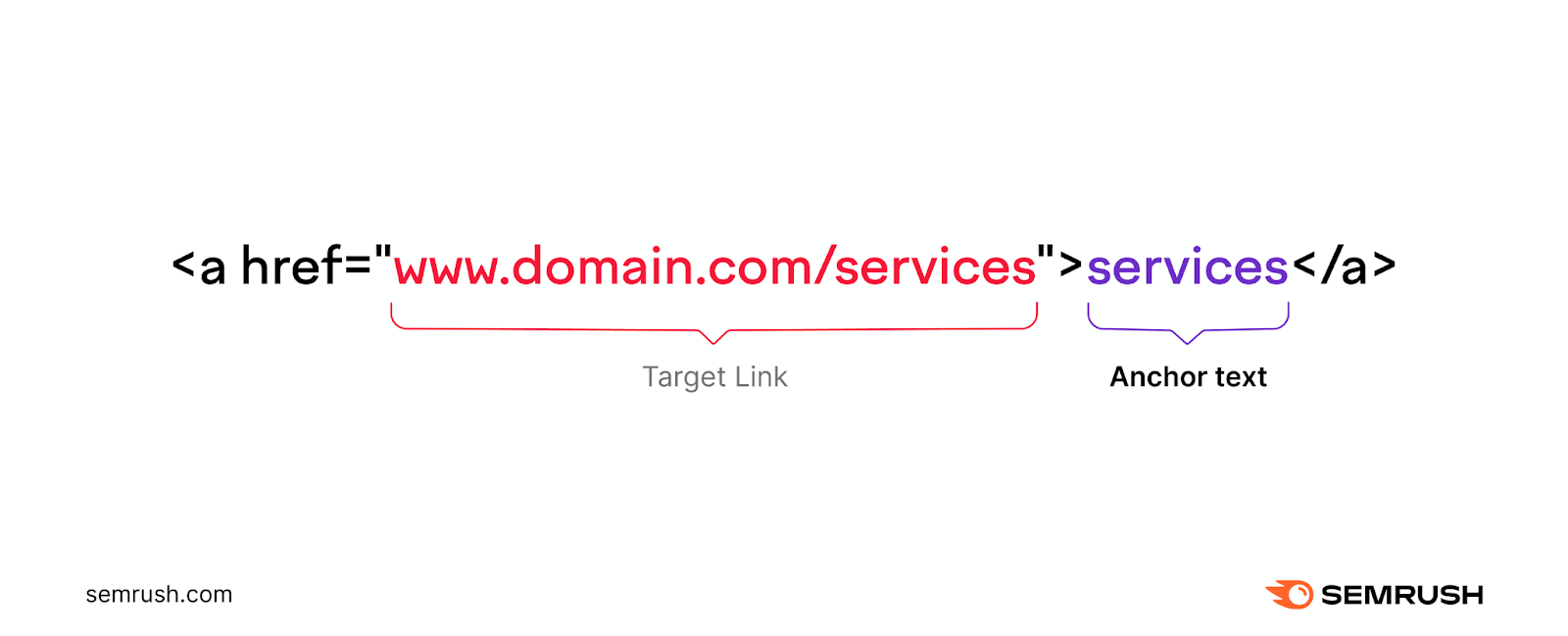
For example, you could use the anchor text “services” to link to a website’s main service page.
Here’s where you place that anchor text in HTML:
In this post, we’ll cover different types of anchor text, explain some best practices, and show how to find anchor-text related issues with our Site Audit tool.
Why Is Anchor Text Important in SEO?
Using proper anchor text can improve your SEO performance. And boost the user experience (UX).
Search engines and users rely on internal links (links that go to your other webpages) to navigate your site and understand the relationship between different pages.
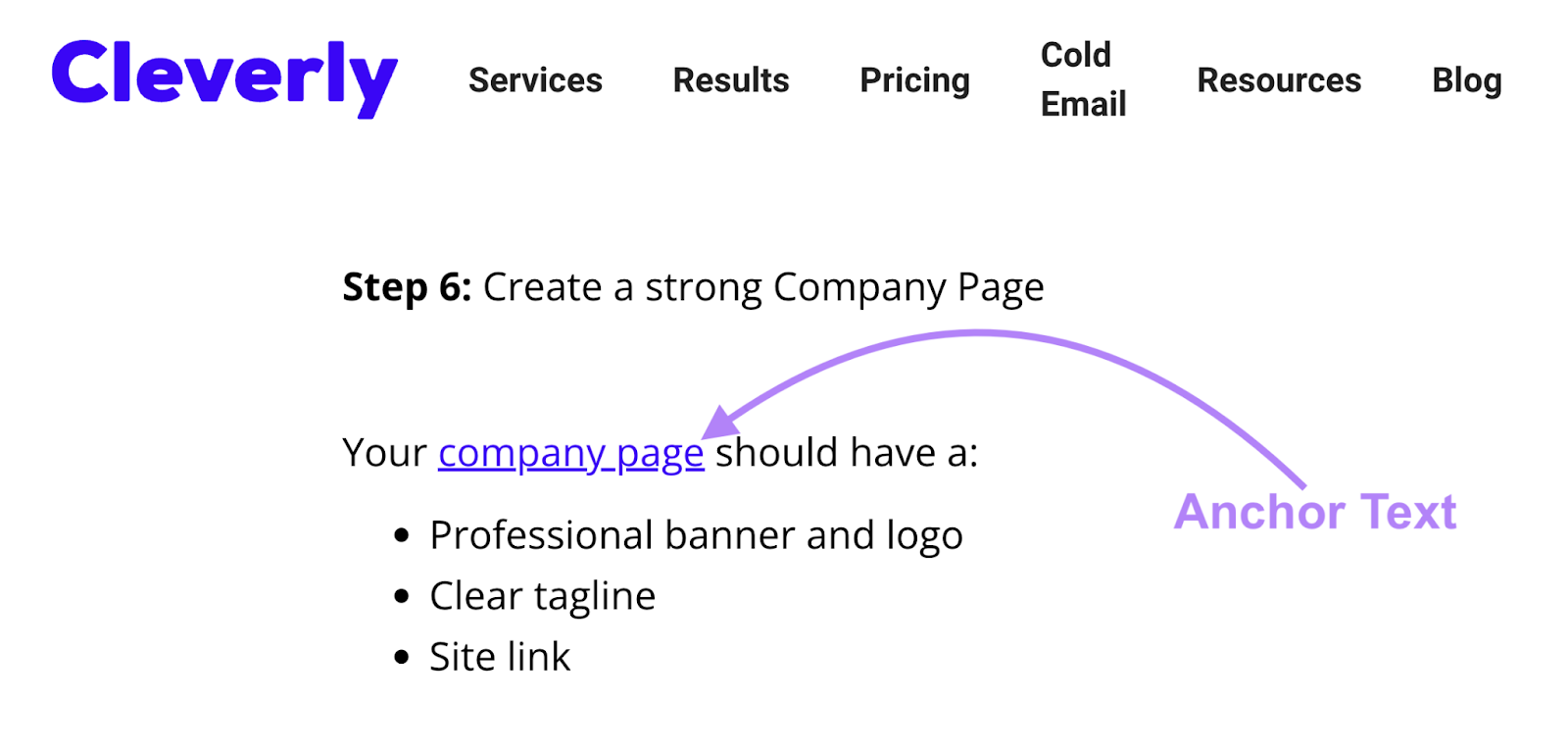
For example, the anchor text “company page” in this Cleverly article makes it clear that the linked page on their site is about company pages.
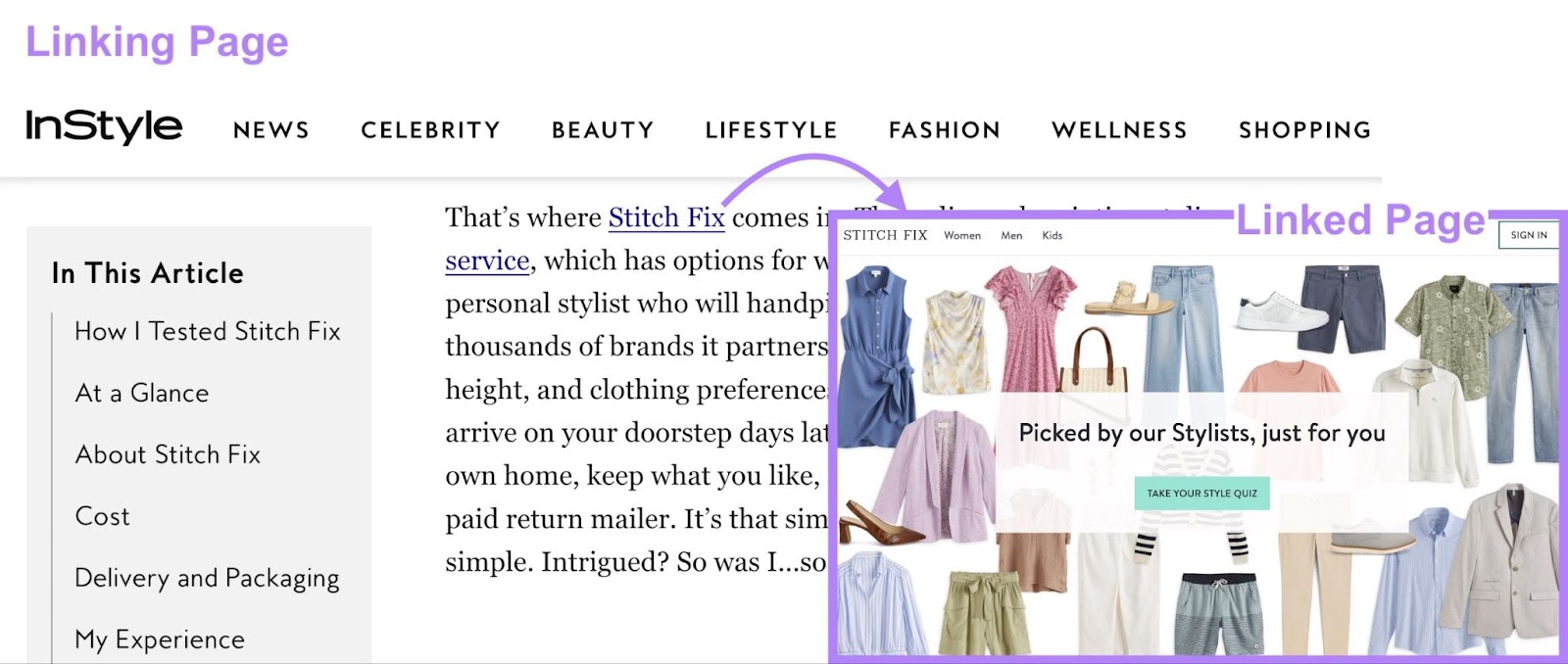
Anchor text used for external links (links that go to other websites) similarly provides context about the linked content.
And it’s worth noting that linking to other sites can affect their SEO rankings. Because search engines view links from one site to another as endorsements (assuming you haven’t applied any HTML attributes telling search engines not to pass ranking authority).
Anchor text for both types of links is good for the user experience. And because Google aims to prioritize pages that provide a good experience, that can further improve your rankings.
9 Types of Anchor Text
Here are the nine most common types of anchor texts you can use on your site:
Branded
This is when you use a brand name as your link’s anchor text. Without including any additional words.
It’s useful when citing a source or linking to a company’s homepage.
Like this:
Compound
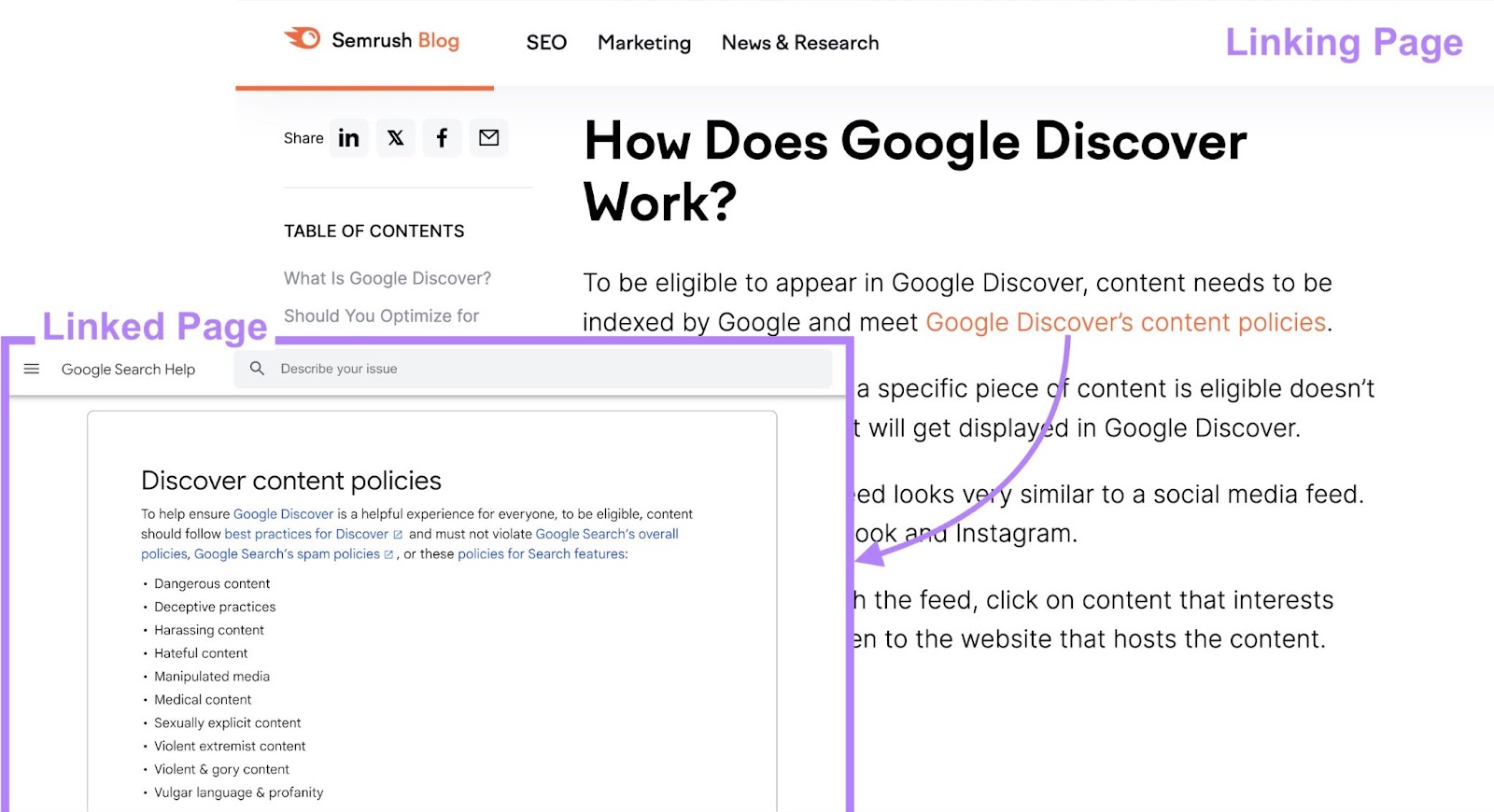
This type of anchor text contains a brand’s name (or a branded phrase) and some additional words for context.
It’s often used when referring to a brand’s products, locations, or webpages.
In the example below, the anchor text is referring to a specific Google help page:
Exact Match
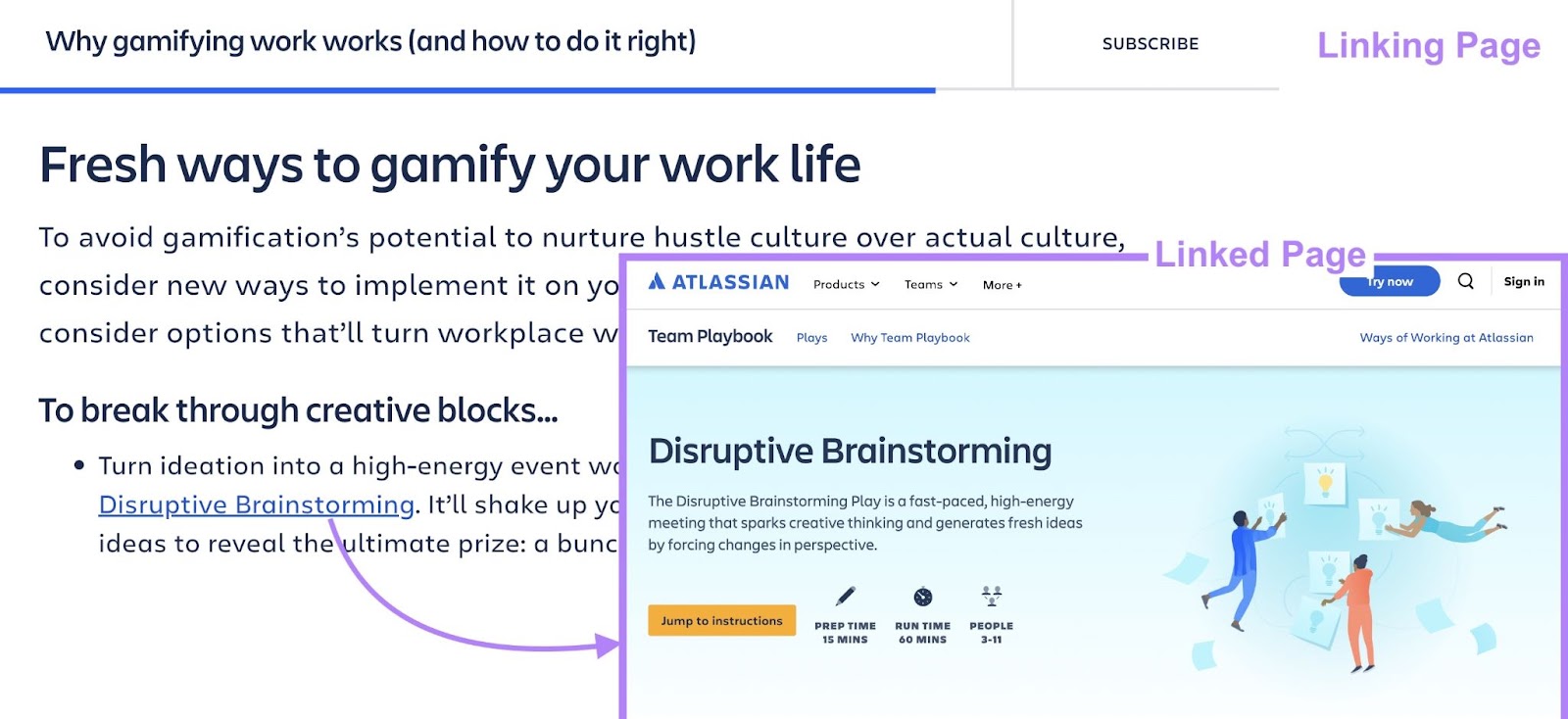
Exact match anchor text (sometimes called “money” anchor text) is when the link is placed over the exact keyword the linked page is targeting.
It can potentially help the linked page rank better for that term.
Here, Trello uses the anchor text “Disruptive Brainstorming” to link to their guide on the topic.
Partial Match
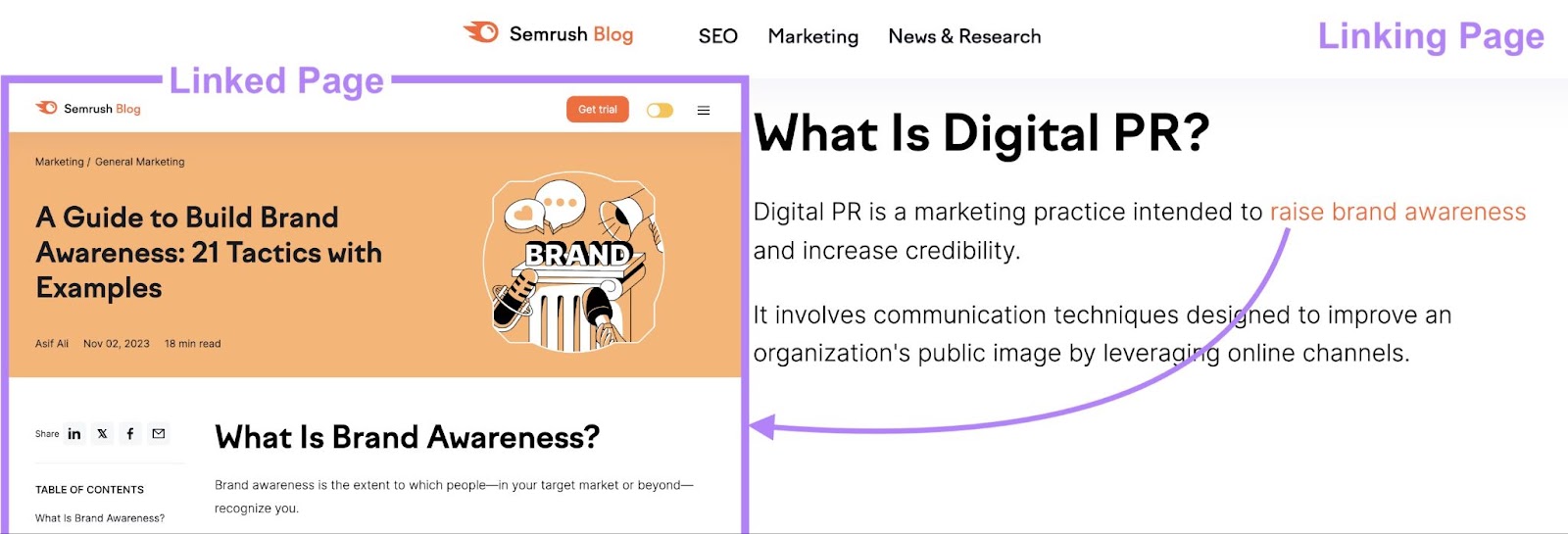
This is when you use a variation of whatever keyword the linked page is targeting.
It includes the target keyword (or part of it) but also other words to provide additional context.
For example, here we use the partial match anchor text “raise brand awareness” to link to a post about building brand awareness.
Related
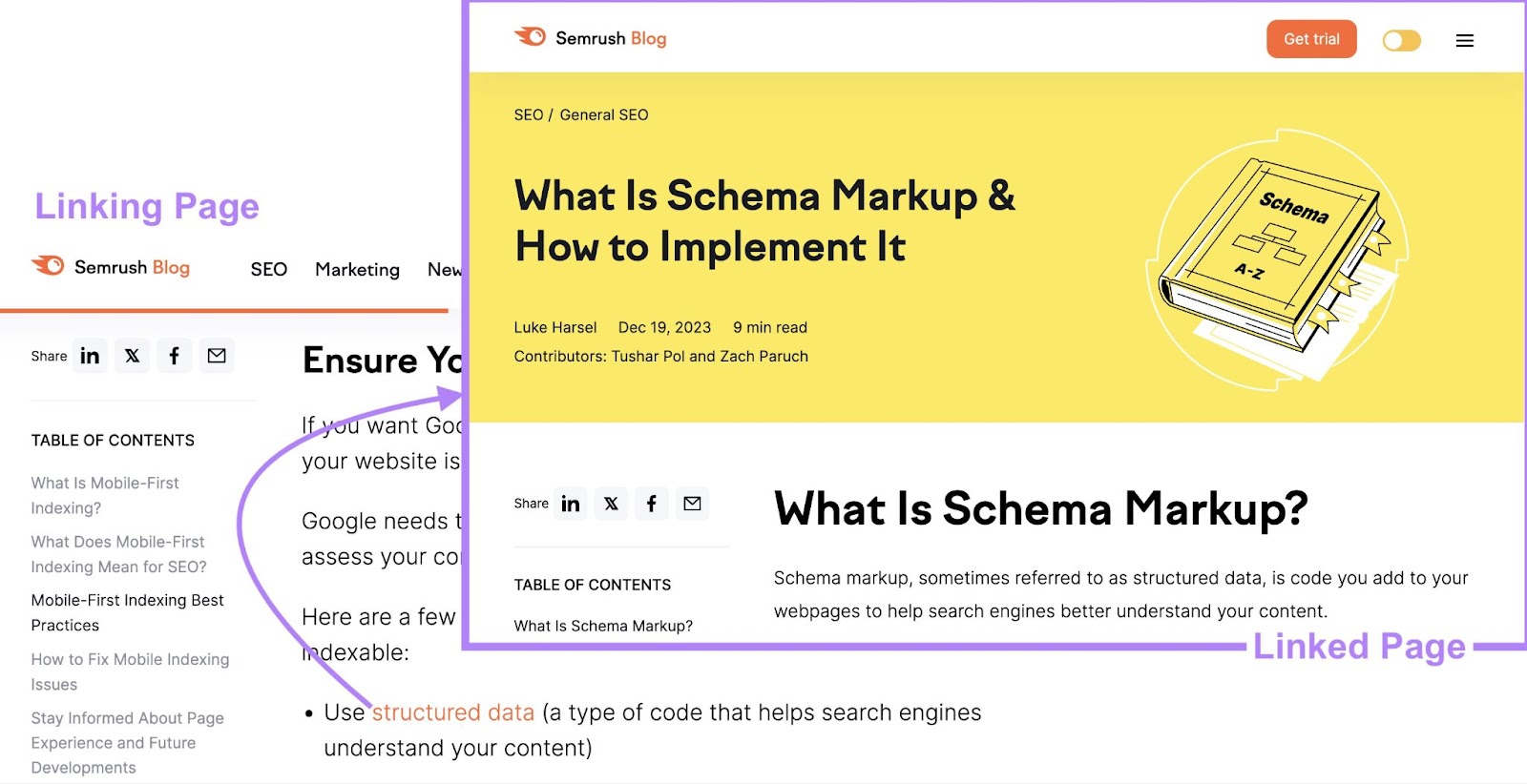
Related keyword anchor text is similar to partial match anchor text, but it doesn’t contain the linked page’s actual target keyword.
Instead, this type of anchor text uses related terms or phrases—like synonyms.
For example, here we link to a page that primarily targets the keyword “schema markup” by using the anchor text “structured data.”
Naked
Naked anchor text uses the link’s exact URL as the anchor text.
This type of link is mainly used to ensure the reader knows exactly where they’re being directed. Like in footnotes, bibliographies, or government resource lists.
For example, the National Institutes of Health (NIH) uses naked links when listing official health-related websites.
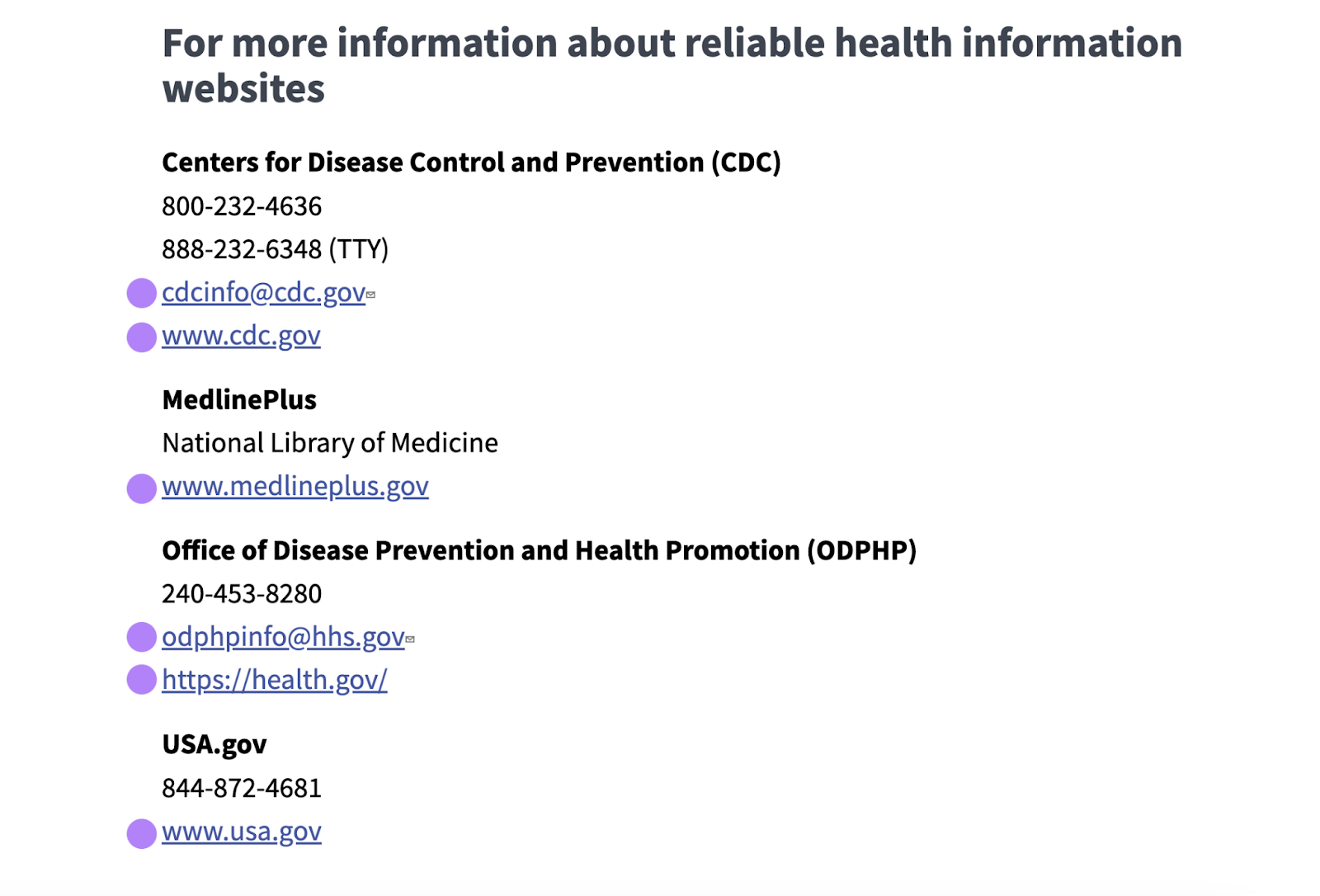
Naked links aren’t ideal for SEO. Because they don’t always help search engines understand the linked content’s relevance.
Generic
Generic anchor text uses non-descriptive words or phrases that don’t give users (or search engines) details about what they’ll find by following the link.
Common examples include:
- “Click here”
- “View more”
- “More info”
Since it doesn’t provide much information, generic anchor text’s SEO value is low. And it can come across as spammy. So, you should use it sparingly.
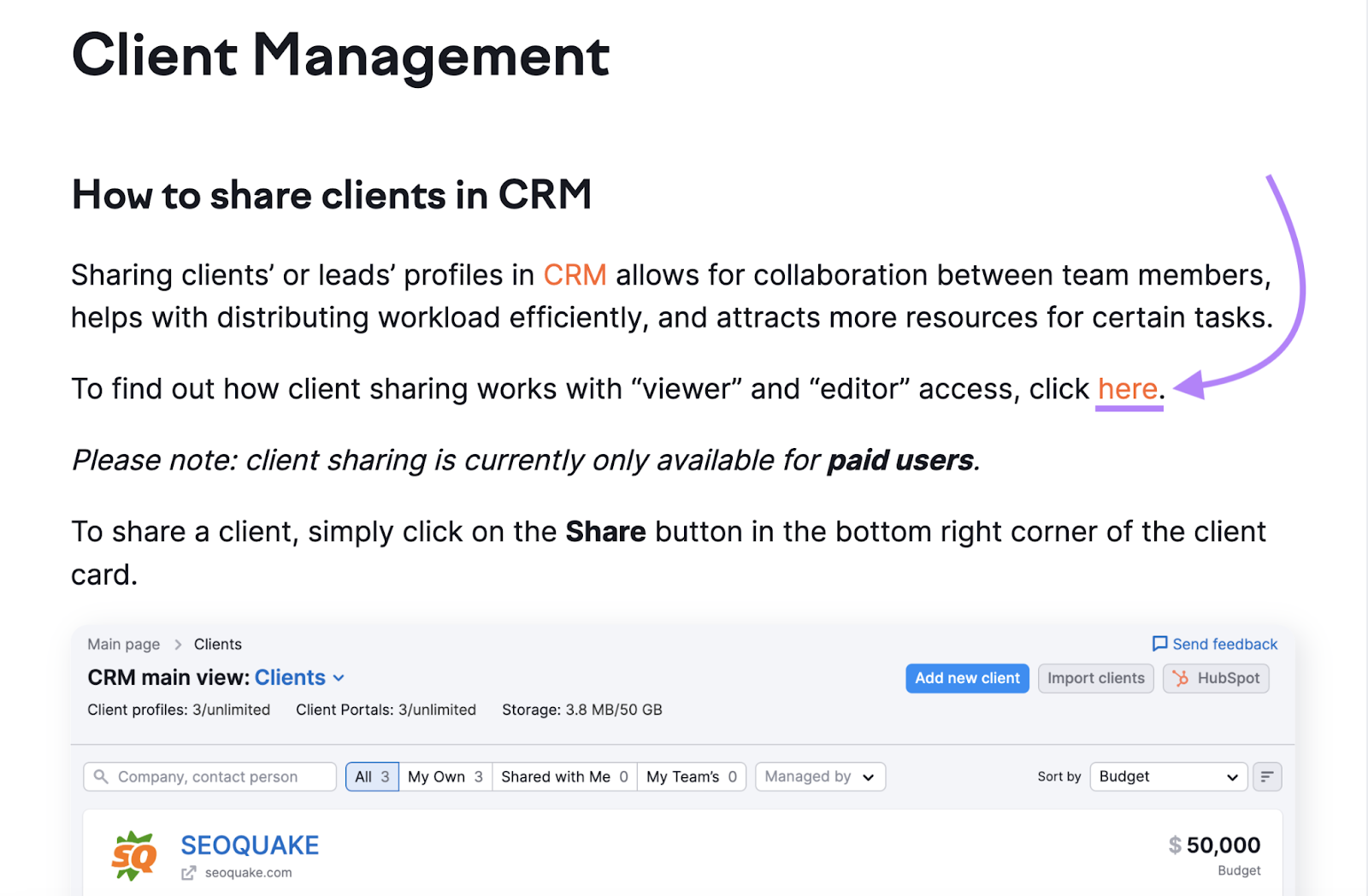
That said, generic anchor text can be useful in certain cases.
For example, when paired with clear and informative surrounding text, it can guide users to the next step without cluttering the link text with excessive details.
Like this:
Image
This is when you use an image to place a link. And because there’s no actual anchor text, the alternative text (alt text) used in the HTML serves as the link’s anchor text.
Alt text helps visually impaired users and search engines understand what an image is about.
For example, here’s what the alt text looks like for our marketing funnel illustration:
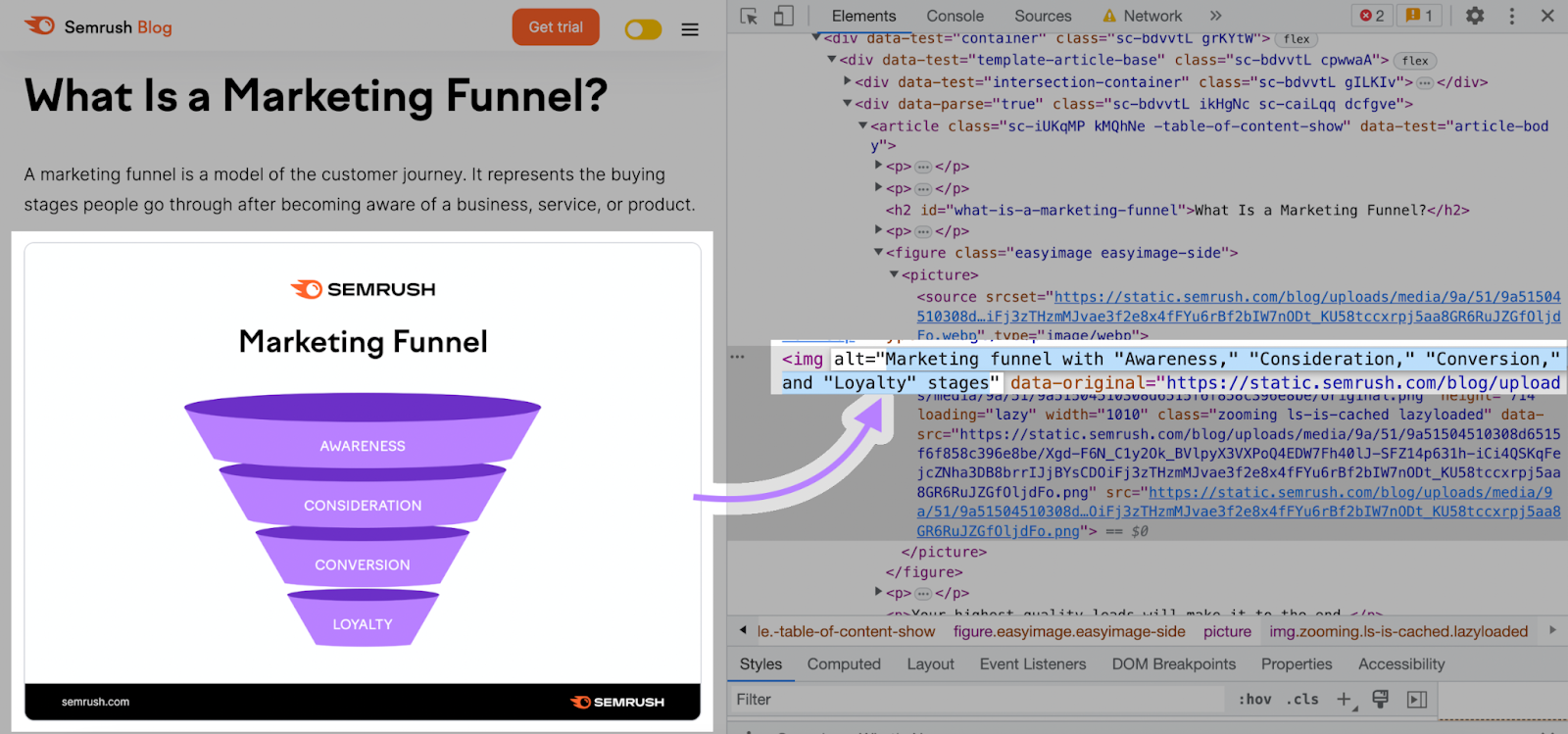
As with traditional anchor text, alt text for linked images should succinctly describe the content you’re linking to.
Article or Page Title
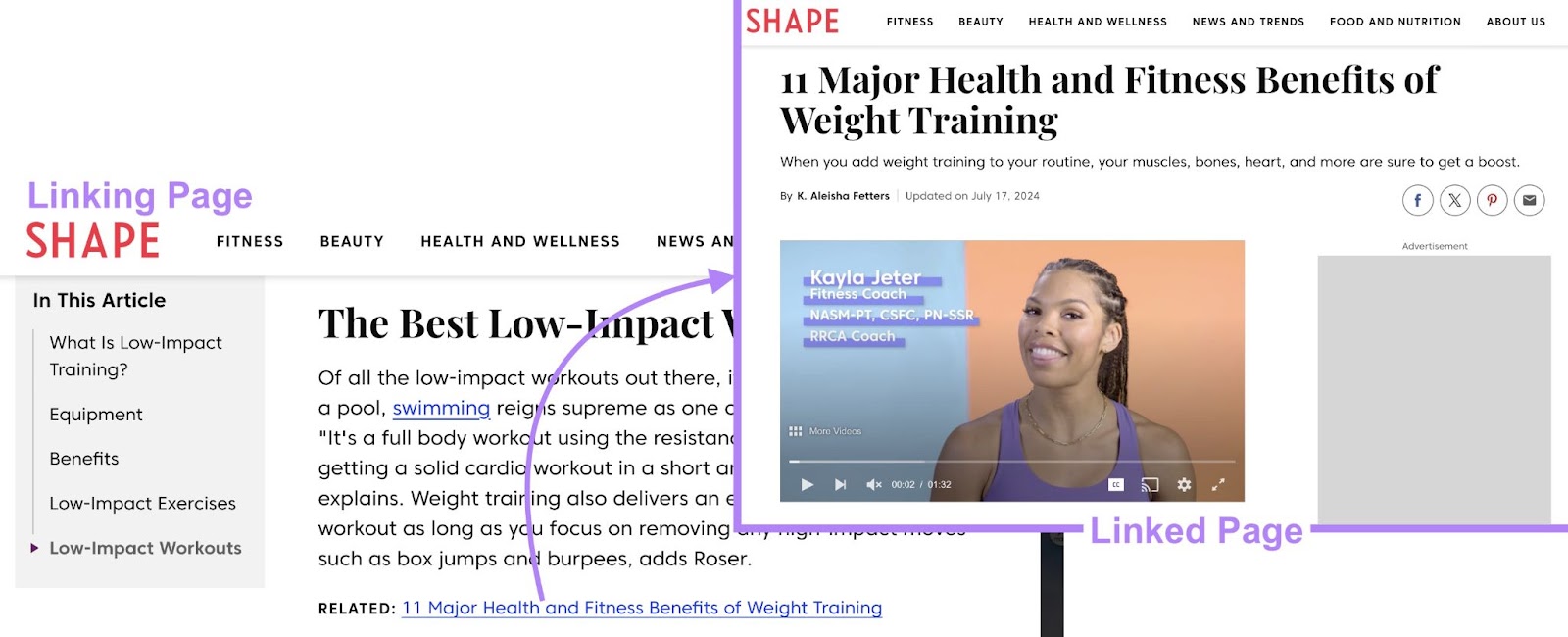
This refers to using the exact title of the linked page or article as the link text.
It’s simple and informative, making it clear to users and search engines what the linked content is about.
For example, Shape links to another article on the site using its exact title.
4 Anchor Text Best Practices
Now, let’s look at how to ensure the anchor text you use for internal and external links is search engine- and user-friendly.
Here are four tips for anchor text optimization:
1. Make Sure Your Links Are Natural
Anchor text should fit seamlessly into your content. So it doesn’t harm readability, seem spammy, or negatively impact your SEO efforts.
In other words, avoid shoehorning links into sentences where they seem out of place. Anchor text should make sense in relation to the content that surrounds it.
You should also limit how many links you place in your content. Too many links can distract readers.
Here’s an example from Google of what excessive anchor text looks like:

Rather than adding links at every opportunity, only include them if they’re genuinely useful to the reader and relevant to your content.
And avoid repeatedly linking to the same page on your site using the exact same anchor text.
This can seem unnatural to search engines. They may see it as an attempt to manipulate rankings for the linked page.
Instead, use a variety of anchor text types—incorporating both primary and secondary keywords. Using varied anchor text appears more natural and provides search engines with additional context about the page in question.
But what about over-optimized anchor text from other sites linking to yours?
While you can’t directly control the anchor text other sites use, you can identify potentially toxic backlink anchor text with our Backlink Audit tool.
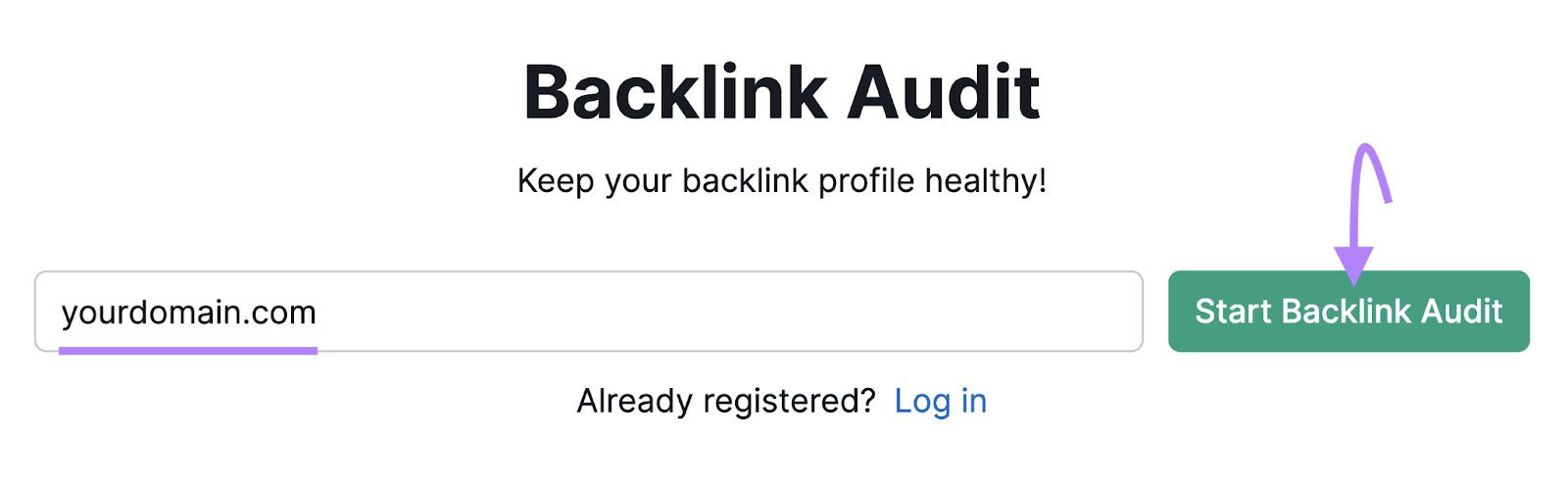
Enter your domain and hit “Start Backlink Audit.”
Then, follow the instructions to set up the audit.
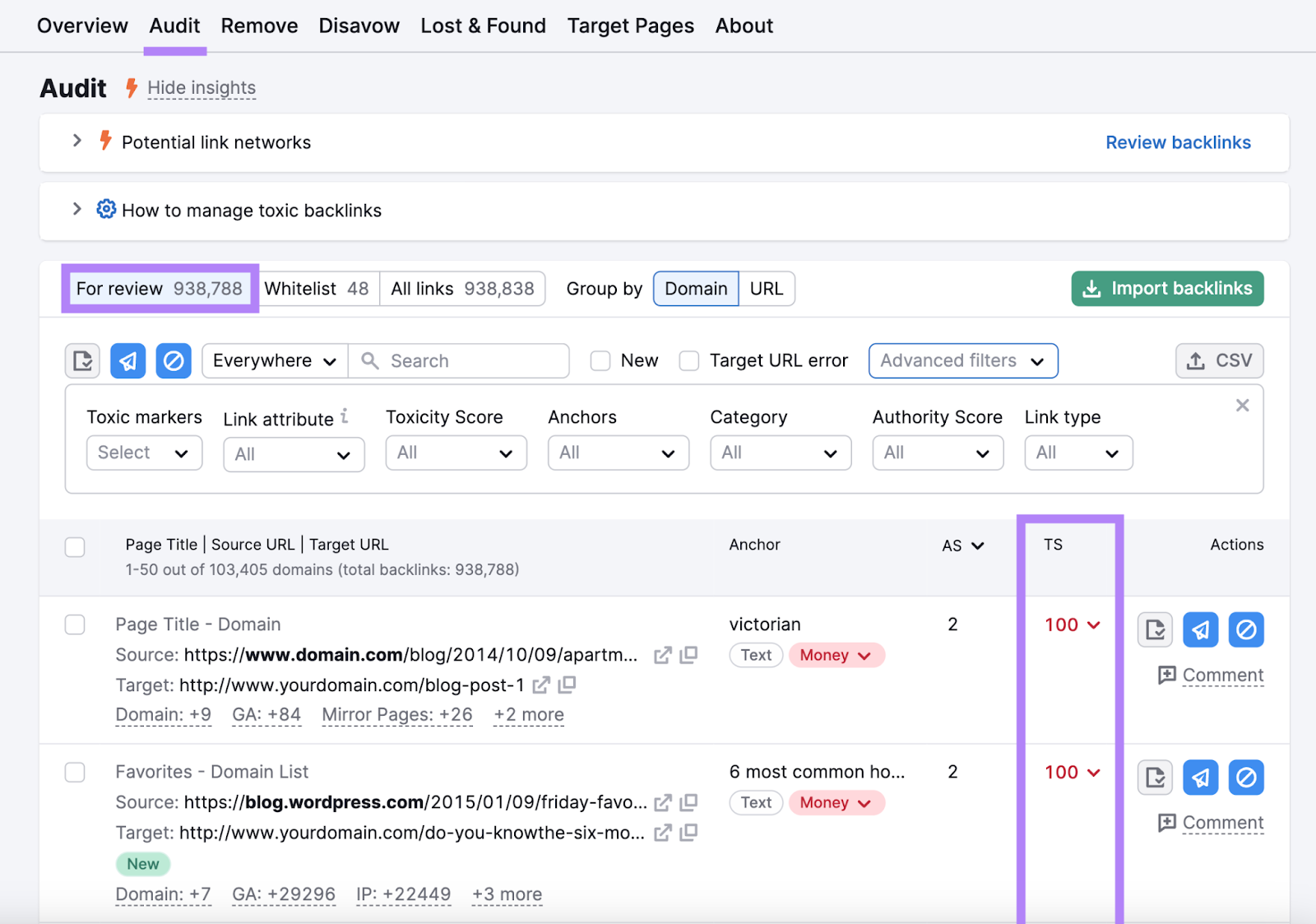
Under the “Audit” tab, you’ll see backlinks flagged for review.
Each backlink is given a Toxicity Score (TS) from 0-100. The higher the score, the more likely the link is to be harmful.
Under the “Anchors” drop-down menu, you can filter links based on anchor text type.
Select the boxes next to “Money” and “Compound.”
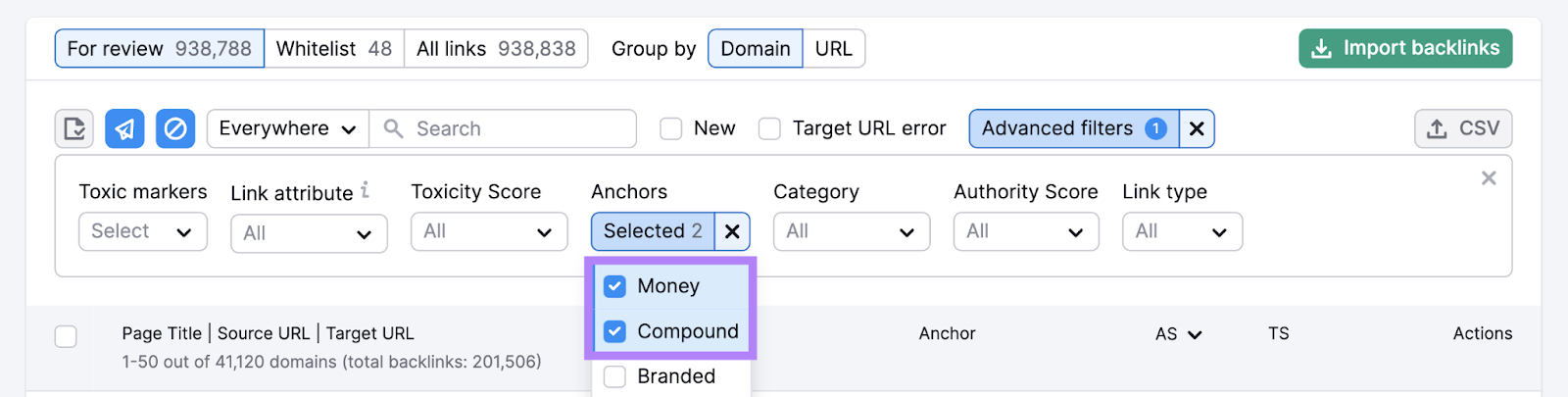
Money and compound anchor texts are most likely to be deemed suspicious by Google. So keep an eye out for backlinks that use them and also have high Toxicity Scores.
What should you do if you discover these types of backlinks?
In most cases, you don’t need to do anything.
Having a certain number of low-quality backlinks is normal for most sites. And Google usually just ignores them.
But if you notice a long list of these potentially harmful links and you’ve also received a manual action penalty from Google about low-quality links (you can see that in the Manual Actions report in Google Search Console), you may want to remove the unwanted links or disavow them.
That’s because receiving this type of penalty means your pages could appear lower or be omitted from search results entirely.
Further reading: A Comprehensive Guide to Understanding Google Penalties
2. Be Succinct
Keep your link text concise—we recommend five words or less.
Short, clear anchor text helps users quickly identify where the link will take them.
So don’t use this:
“A comprehensive list of SEO tips and strategies.”
But opt for this:
“SEO tips.”
3. Be Descriptive
While your anchor text should be brief, it also needs to clearly describe what you’re linking to. So users and search engines can reasonably predict what they’ll get if they follow the link.
If you’re unsure of which keywords to use in anchor text for internal links, try Semrush’s Organic Rankings tool.
This tool lets you see which terms a specific page is ranking for, providing you with multiple anchor text variations you could use to link to that page.
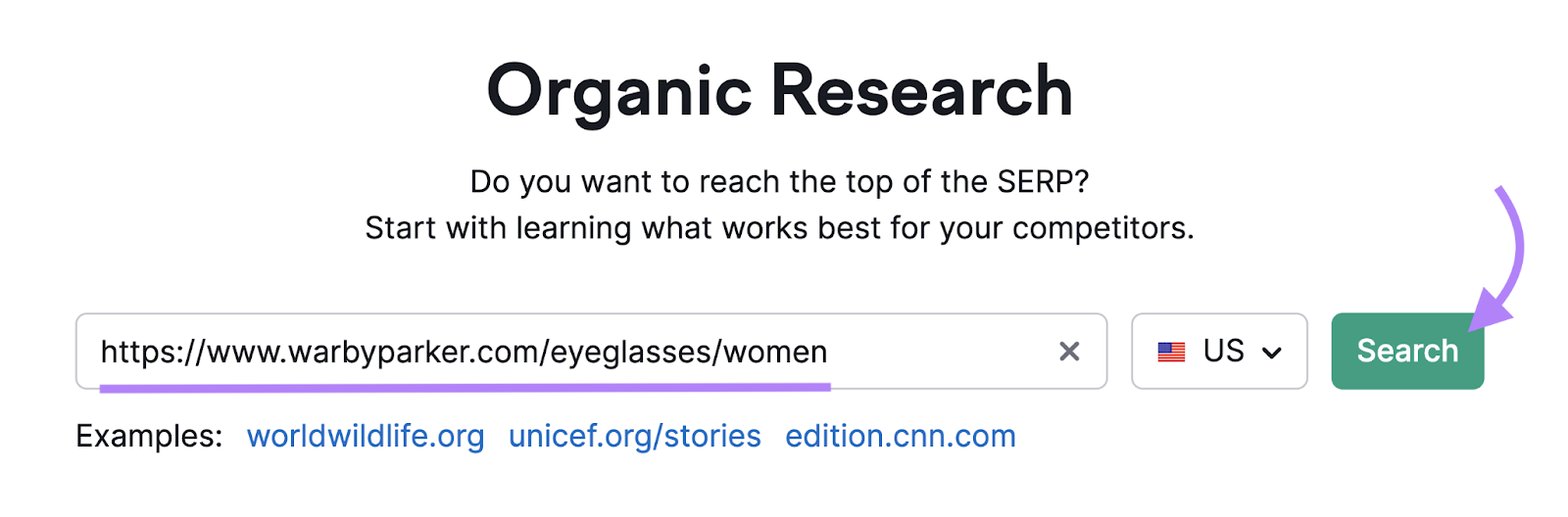
Let’s say your company is an eyewear retailer. And you want anchor text ideas for the women’s glasses product category page.
Start by entering the page URL and click “Search.”
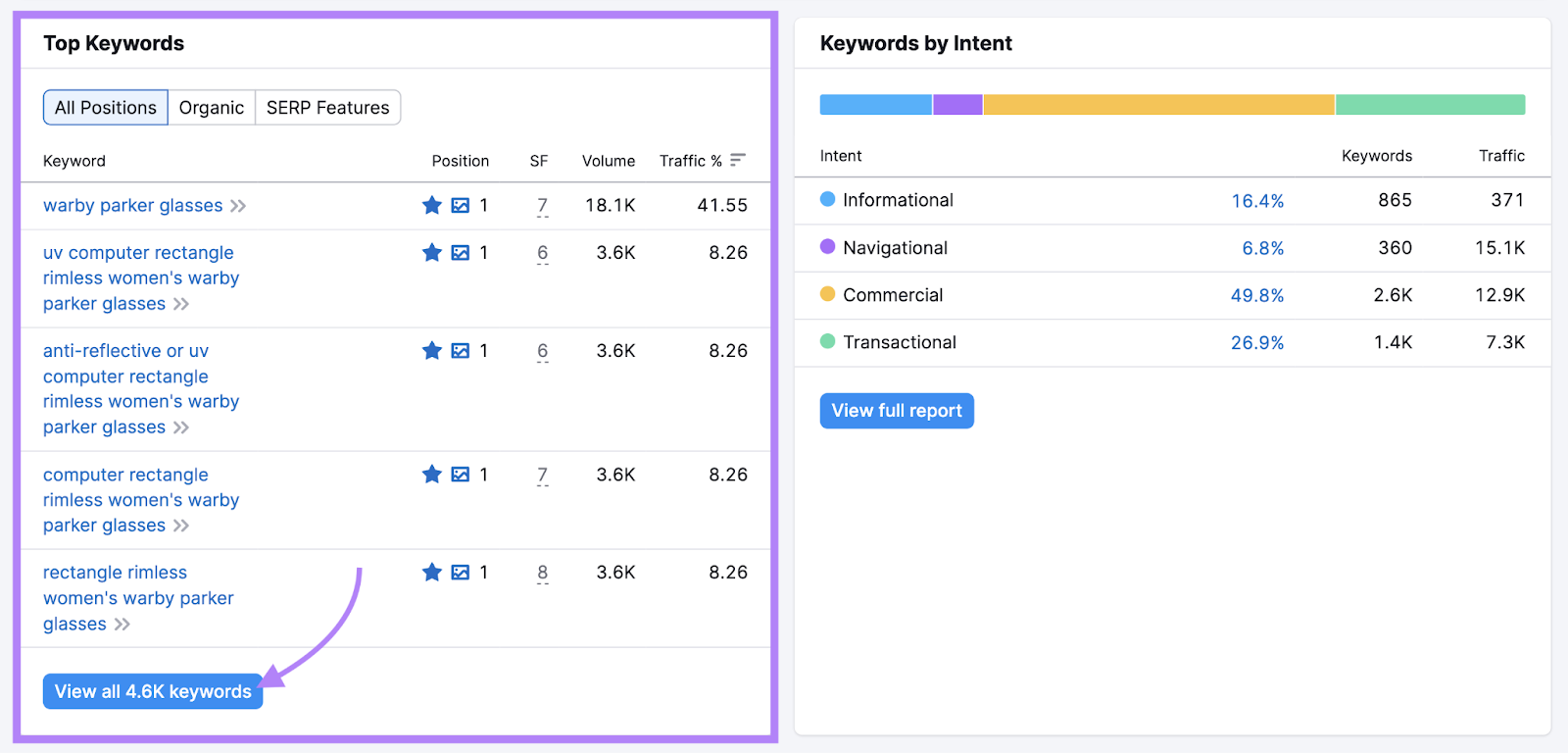
This takes you to the “Overview” report. It gives a snapshot of the page’s estimated traffic, keywords, ranking changes, and SERP features.
Under the “Top Keywords” section you can see which terms your page ranks for. Click “View all # keywords” to open the detailed report.
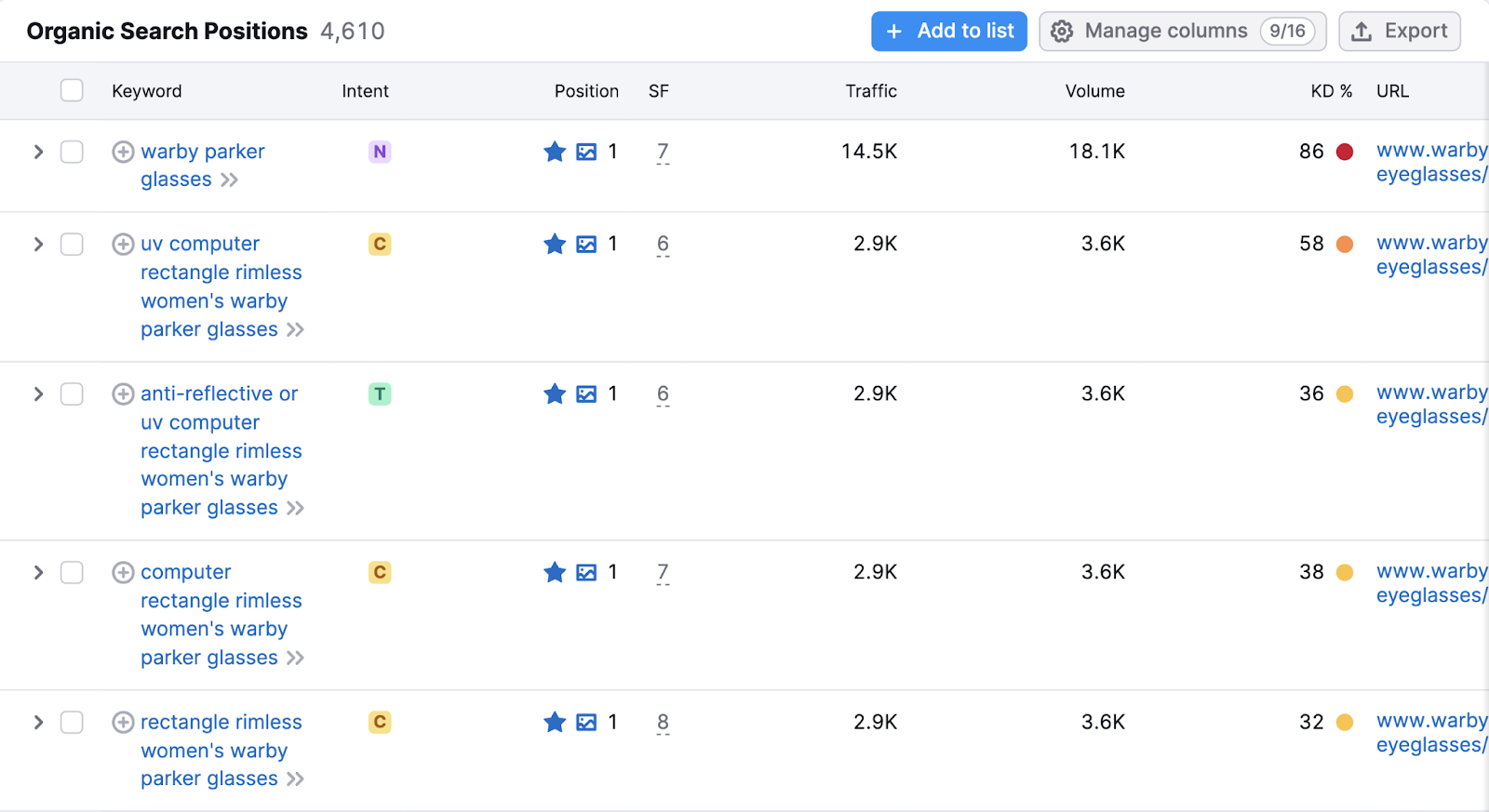
Here you’ll see a full list of the keywords your page ranks for.
Explore the list to find anchor text ideas that best suit the context of your link.
4. Make Sure Readers Can See the Link
Finally, make sure your anchor text is easily identifiable. To ensure visitors don’t miss it and have a poor experience.
This means the links should be underlined and/or highlighted in a different color, so they stand out from the rest of the text.
Usually, this occurs automatically on most web browsers. But it’s worth double-checking that the anchor text is highlighted and easy to distinguish within the content management system (CMS) or website platform you use.
How to Find & Fix Anchor Text Issues
Now that you know how to create high-quality anchor text, you’ll need to check your site for any anchor text issues.
Site Audit can help with this task.
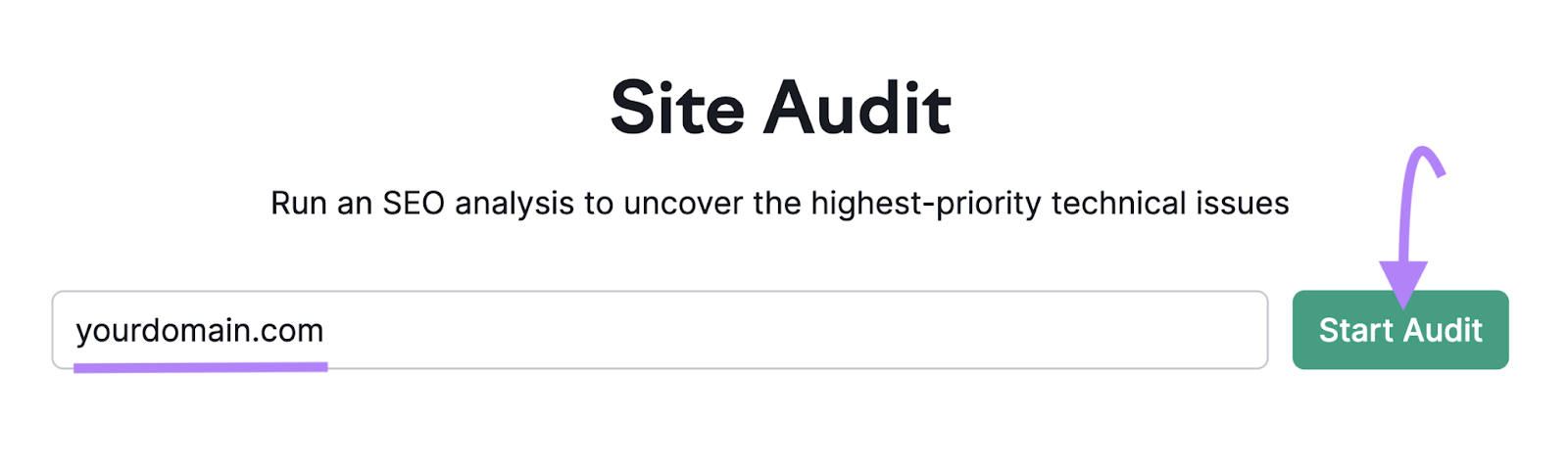
To get started, enter your domain into the search bar and select “Start Audit.”
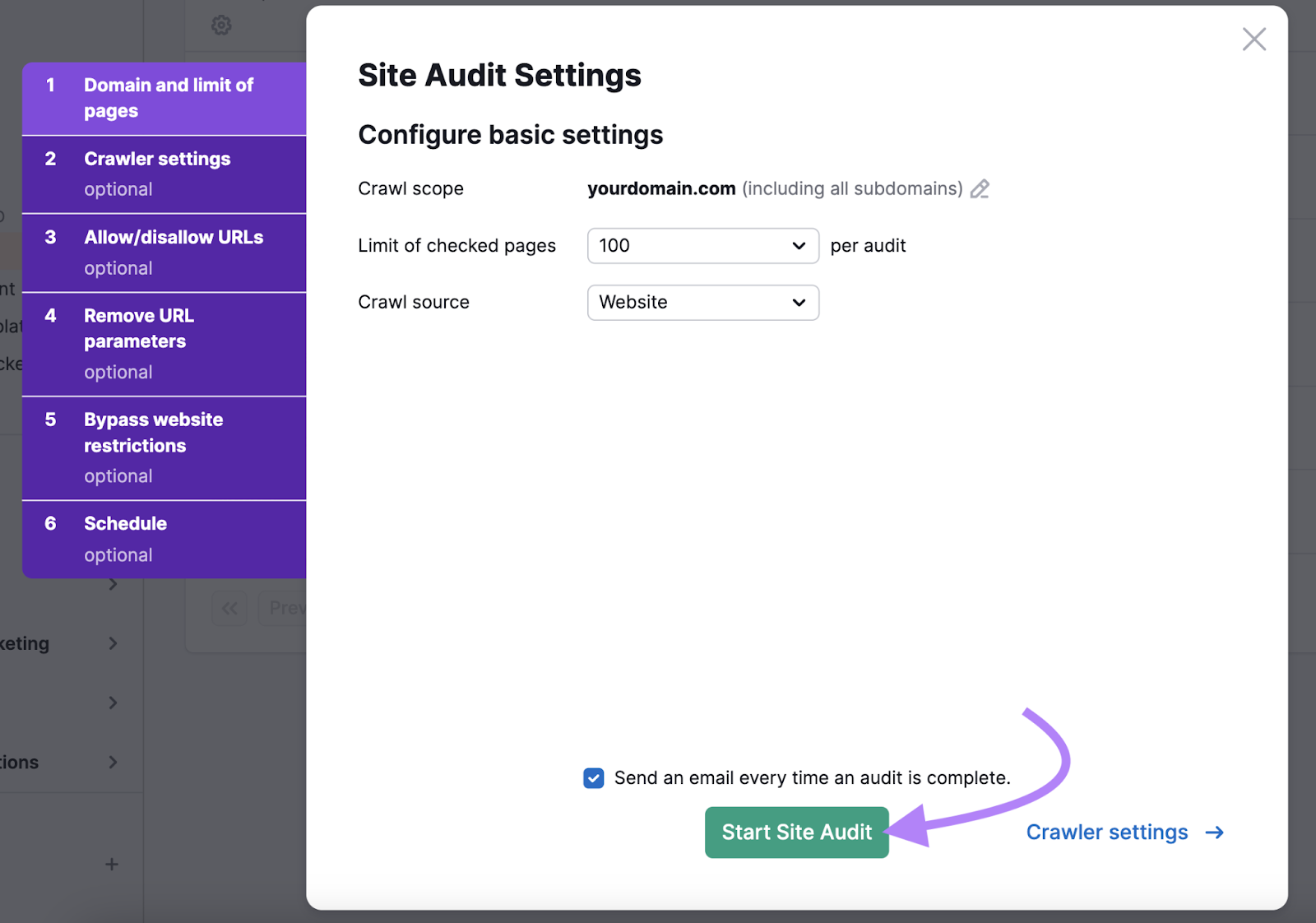
Next, configure your settings. Then, hit “Start Site Audit.”
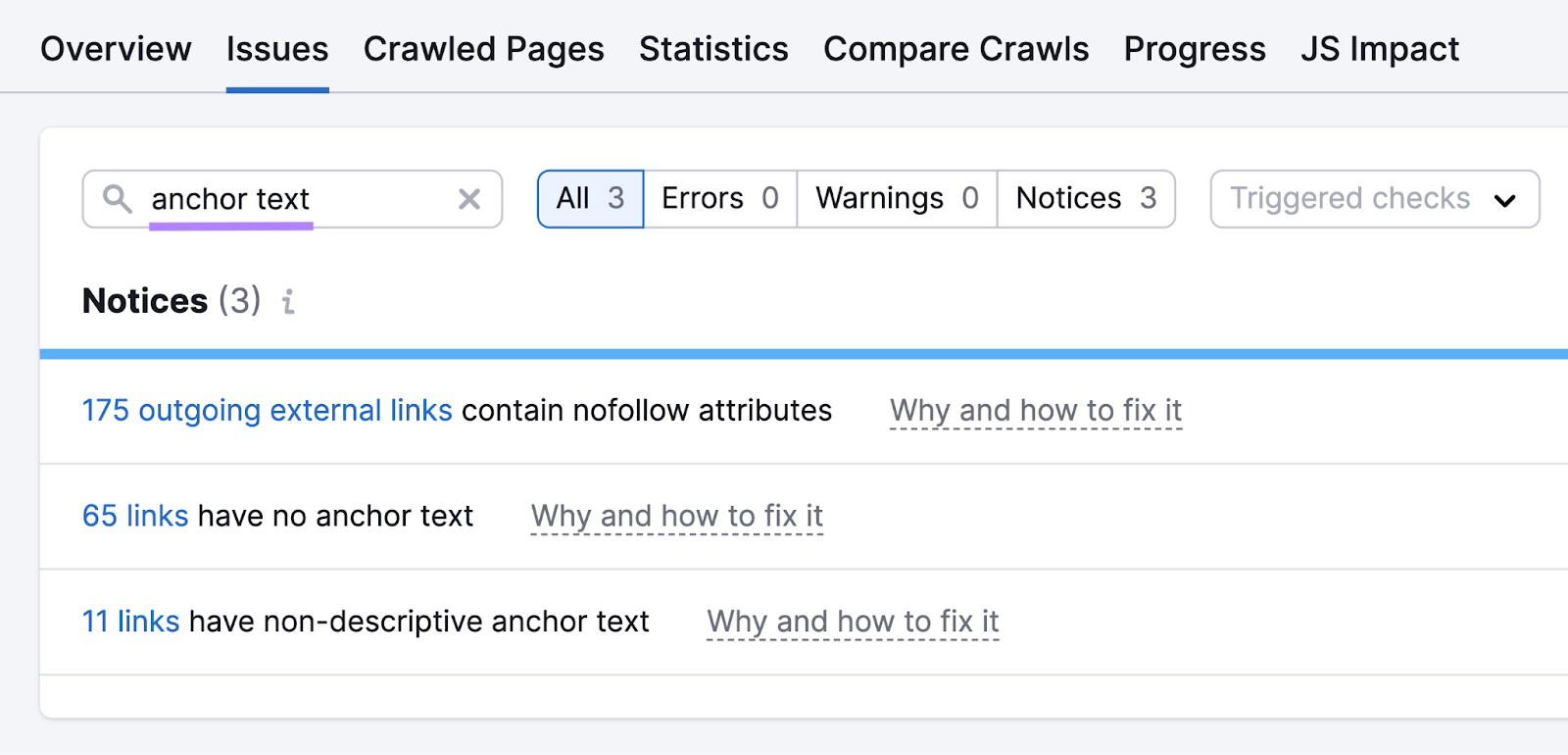
Once the audit is complete, go to the “Issues” tab, and type “anchor” into the search bar. This will show any anchor-related issues on your site.
Three issues could show up:
- “# links have no anchor text”: These are links that have empty or naked anchor text
- “# links have non-descriptive anchor text”: These are links that use generic anchor text or don’t provide enough context for the page they’re linking to
- “# outgoing external links contain nofollow attributes”: These are external links that don’t pass any link authority to the page they’re linking to
Click on any of the blue hyperlinks to see which pages are affected by that issue.
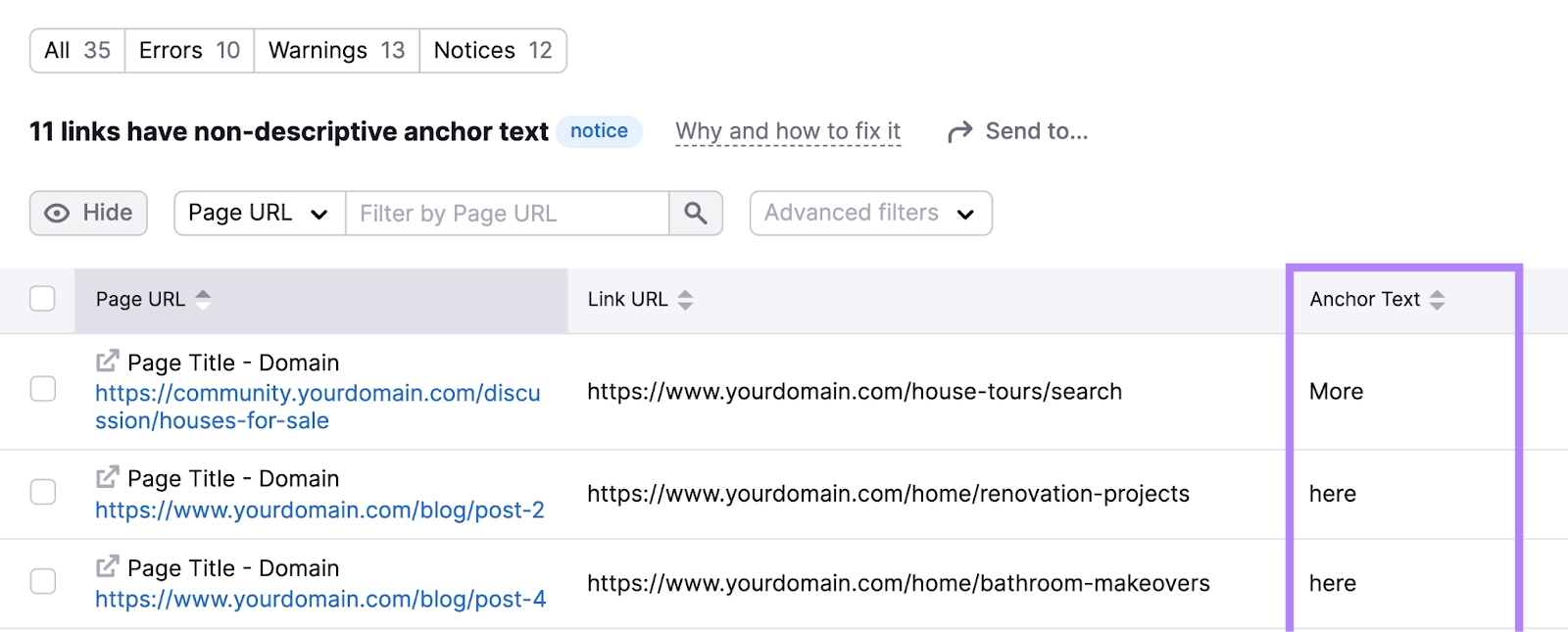
Then, log in to your content management system or other website platform and use this information to fix any problems with your anchor text.
You can then rerun your Site Audit to check that these fixes worked.
Stay on Top of Your Anchor Text
Properly using anchor text helps users and search engines navigate your site more efficiently and understand the relevance of different pages.
And using good anchor text in your SEO efforts is an ongoing process. Particularly if you regularly upload new content.
An easy way to keep on top of your anchor text is with weekly reports in Site Audit.
Click the gear icon on the top right and select “Schedule” under “Site Audit settings.”
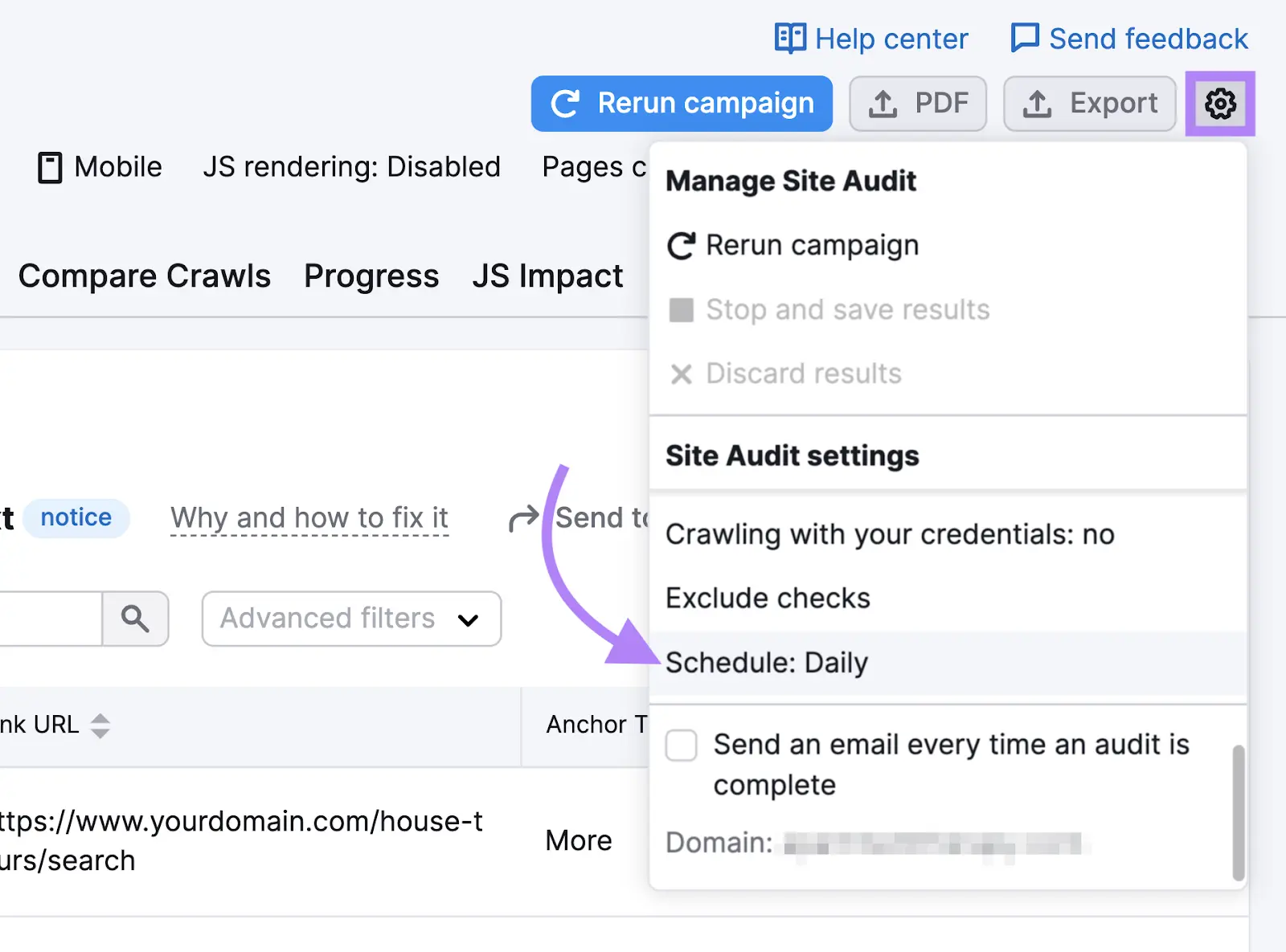
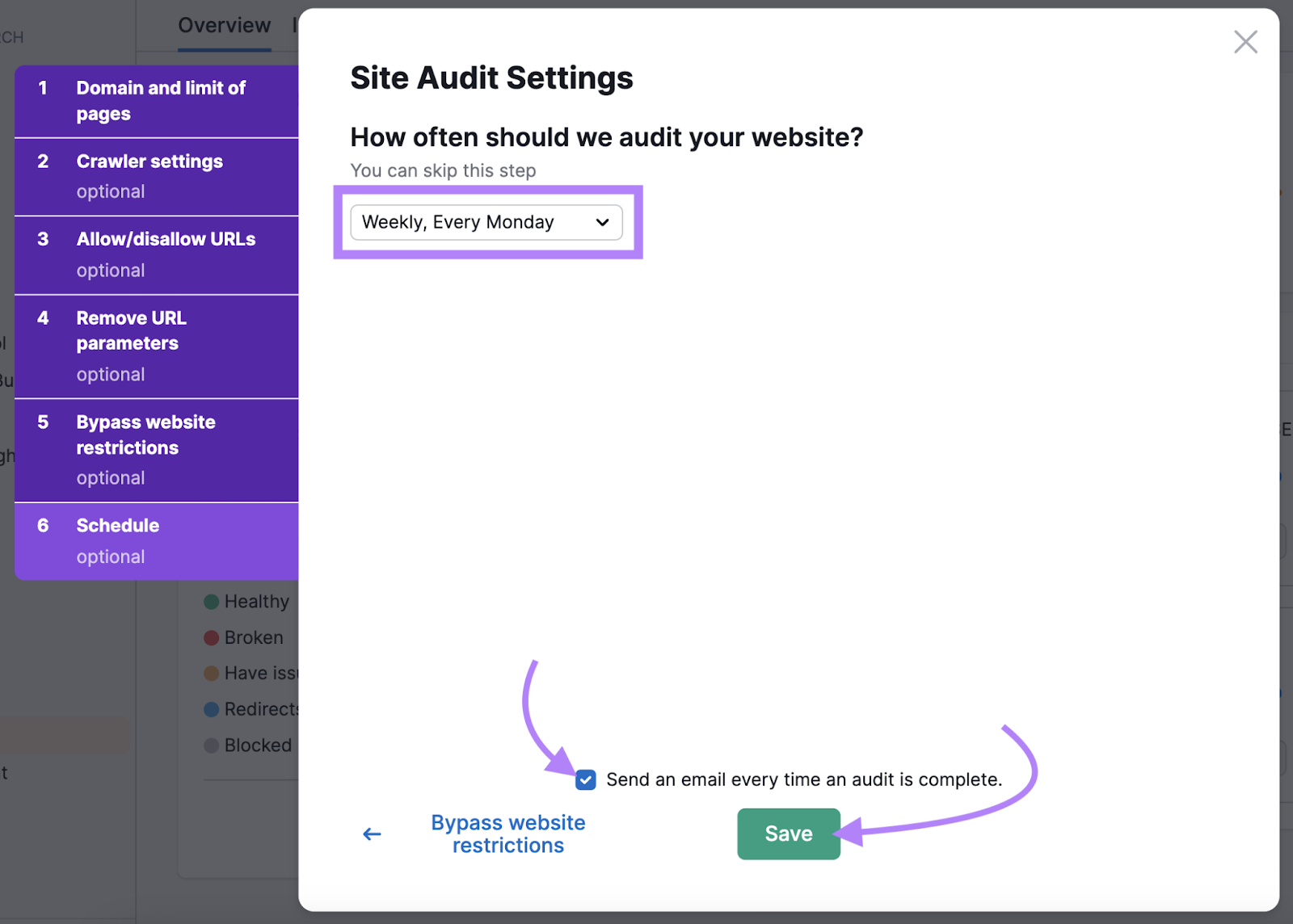
Then, open the drop-down menu and select which day of the week you want the automatic audit to run on.
Check the box next to “Send an email every time an audit is complete.” And hit “Save.”
Now, you can easily stay on top of anchor text issues that arise.
